Most HVAC service calls end up being simple fixes that a homeowner could have handled in 10 minutes. Before you spend $150+ on a diagnostic fee, run through this pro-grade checklist. Whether you’re seeing a cryptic error code or your unit has simply stopped blowing cold air, these steps cover 90% of common system failures.
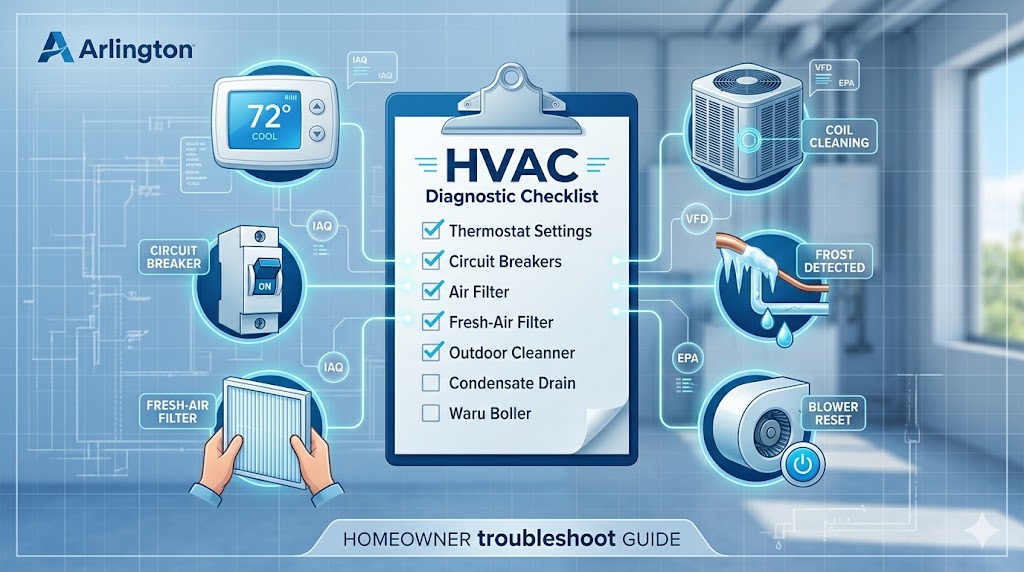
1. Verify the Thermostat Settings
It sounds simple, but a thermostat set to “Heat” or “Auto” instead of “Cool” is a leading cause of “no-cool” calls.
- Action: Ensure the mode is “Cool” and the fan is set to “Auto.” Replace the batteries if the screen is dim or blank.
2. Check the Circuit Breakers
HVAC systems pull a lot of power. A simple power surge or a hot day can trip the breaker.
- Action: Check your main electrical panel. If the AC breaker is in the “middle” position, flip it fully OFF and then back ON.
3. Inspect the Air Filter
A clogged filter chokes airflow, causing the evaporator coil to freeze and the system to shut down.
- Action: If you can’t see light through your filter, replace it immediately.
- Pro Tip: Use the Maintenance Auditor tool in our sidebar to calculate exactly how many days you have left before your next change.
4. Examine the Outdoor Condenser Unit
Leaves, dirt, and debris can coat the outdoor coils, preventing heat transfer and causing the compressor to overheat.
- Action: Turn off the power and gently spray the outdoor unit with a garden hose (do not use a pressure washer, as it can bend the fins).
5. Look for Ice on the Refrigerant Lines
If you see white frost on the copper pipes leading into your furnace or air handler, your system is frozen.
- Action: Turn the AC OFF and the Fan ON. This allows the ice to melt. Do not restart the AC until the ice is completely gone and you have checked the filter.
6. Test the Condensate Drain Line
Modern ACs have “float switches” that kill the power if the drain line is clogged with algae. This prevents water from flooding your home.
- Action: Look for standing water in the drain pan. If it’s full, your drain is clogged and needs to be vacuumed out with a shop vac.
7. Listen for Unusual Noises
- Clicking: Usually indicates a failing capacitor or a chattering relay.
- Squealing: Likely a failing fan belt or a dry motor bearing.
- Grinding: Potential motor or compressor failure—shut the unit off immediately.
8. Check the Indoor Blower Fan
If you hear the outdoor unit running but no air is coming out of the vents, your indoor blower motor might be stuck or the capacitor has failed.
- Action: Check the “Reset” button on the blower motor (if your model has one).
9. Inspect the Schrader Valves
Refrigerant leaks are a common culprit for systems that “run but don’t cool.” Check the service ports for oily residue.
- Action: If you see oil around the Schrader Valves, you likely have a slow leak that requires a certified technician.
10. Cross-Reference Error Codes
If your unit has a digital display or a flashing LED light, it is trying to talk to you.
- Action: Find your specific brand in our HVAC Error Code Index to see the manufacturer’s specific fix for that code.
When to Stop DIY and Call a Pro
If you’ve completed this checklist and the system still isn’t cooling, you likely have a “sealed system” issue (refrigerant) or a high-voltage electrical failure. Do not attempt to open the compressor or handle refrigerant yourself. It requires EPA 608 certification and specialized recovery equipment to handle safely and legally.
Want a physical copy of this to keep by your furnace?
Don’t get stuck in the heat. Download our pro-grade checklist to your phone or print it out to keep in your utility room for quick troubleshooting.
📥 DOWNLOAD PRINTABLE PDF